Smart Alerts
The alerts page chasers actually want
A real on-device watcher with watch zones, outbreak mode, custom sounds and colors, and full-screen tornado-emergency takeover, plus every NWS and SPC product on the map.
Background Watcher
Alerts that fire even when the app is closed
A foreground service runs an on-device NWS alert watcher, independent of the beacon, so warnings still post to your notification tray and lock screen even when Spotter Tools Pro isn't on screen.
There's no cloud account, no backend pushing alerts to your phone. The app polls the NWS feed directly and matches alerts against your zones locally.
- On-device polling, no server account, no middleman
- Independent of the GPS beacon, run either or both
- Diagnostics card so you can confirm it's actually running
Watch Zones
Watch the places that matter
Configure as many watch zones as you need, your moving GPS location, a fixed home zone, or any number of NWS counties / forecast zones.
When you toggle alerts on for the first time, the app seeds your zones with your current location so the feature is useful immediately.
- Current Location, moves with you while the beacon is active
- Fixed point or radius, perfect for home, family, or chase op-center
- County / forecast zone picker, pull-to-refresh list of NWS zones
- Combine zones, alerts fire when any of them is hit
- With Settings Sync on, your zones and notification choices follow you to your other devices
Filter Modes
Standard, Outbreak, or PDS-only
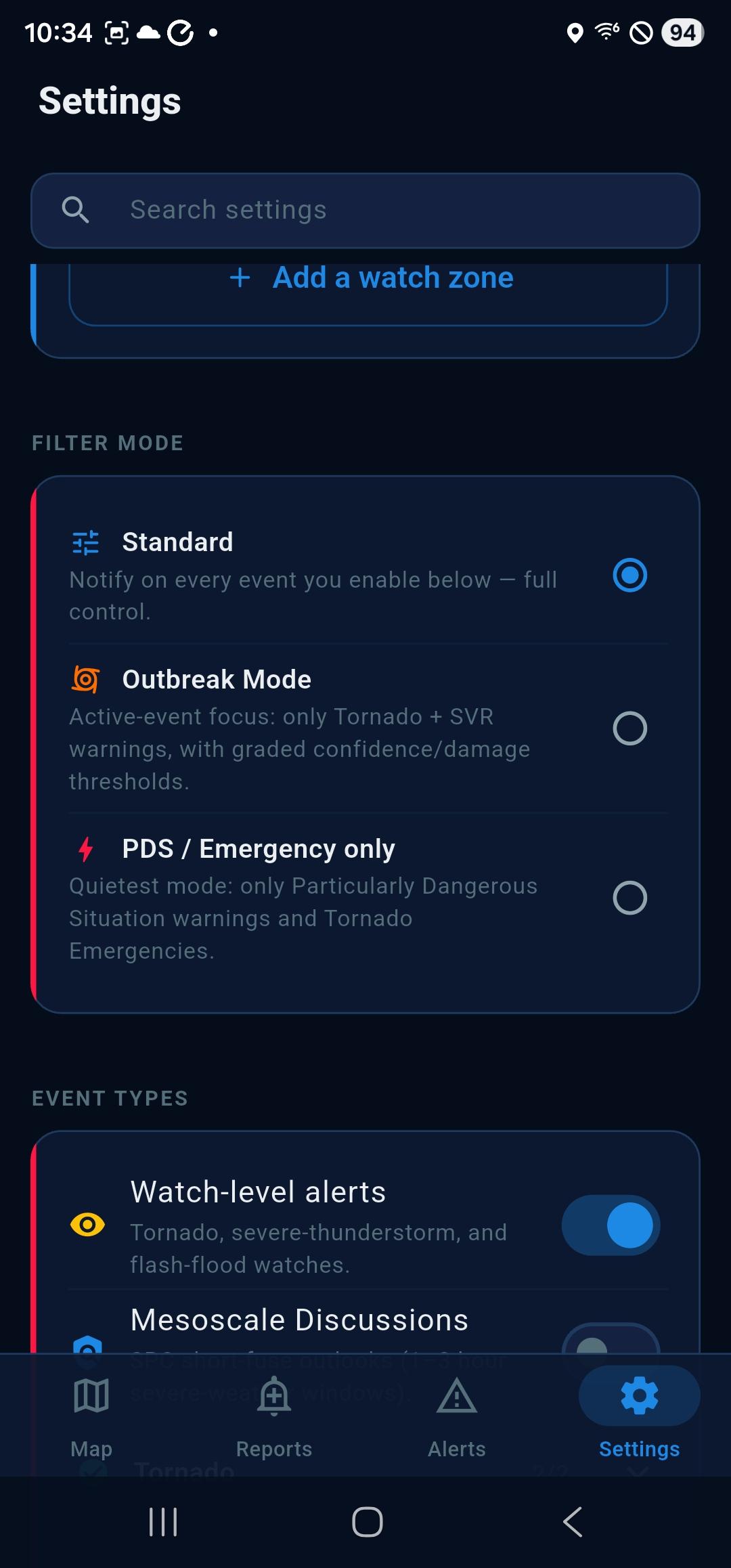
Three filter modes, switchable from a single card:
- Standard mode, fires for every event type you've enabled, scoped to your zones
- Outbreak mode, active-event focus on Tornado and Severe Thunderstorm warnings with graded confidence and damage thresholds
- PDS / Emergency only, quietest mode, fires only for Particularly Dangerous Situation warnings and Tornado Emergencies
- Per-event toggles for watches, mesoscale discussions, and more
Sound & Flash
Sounds and colors you'll actually notice
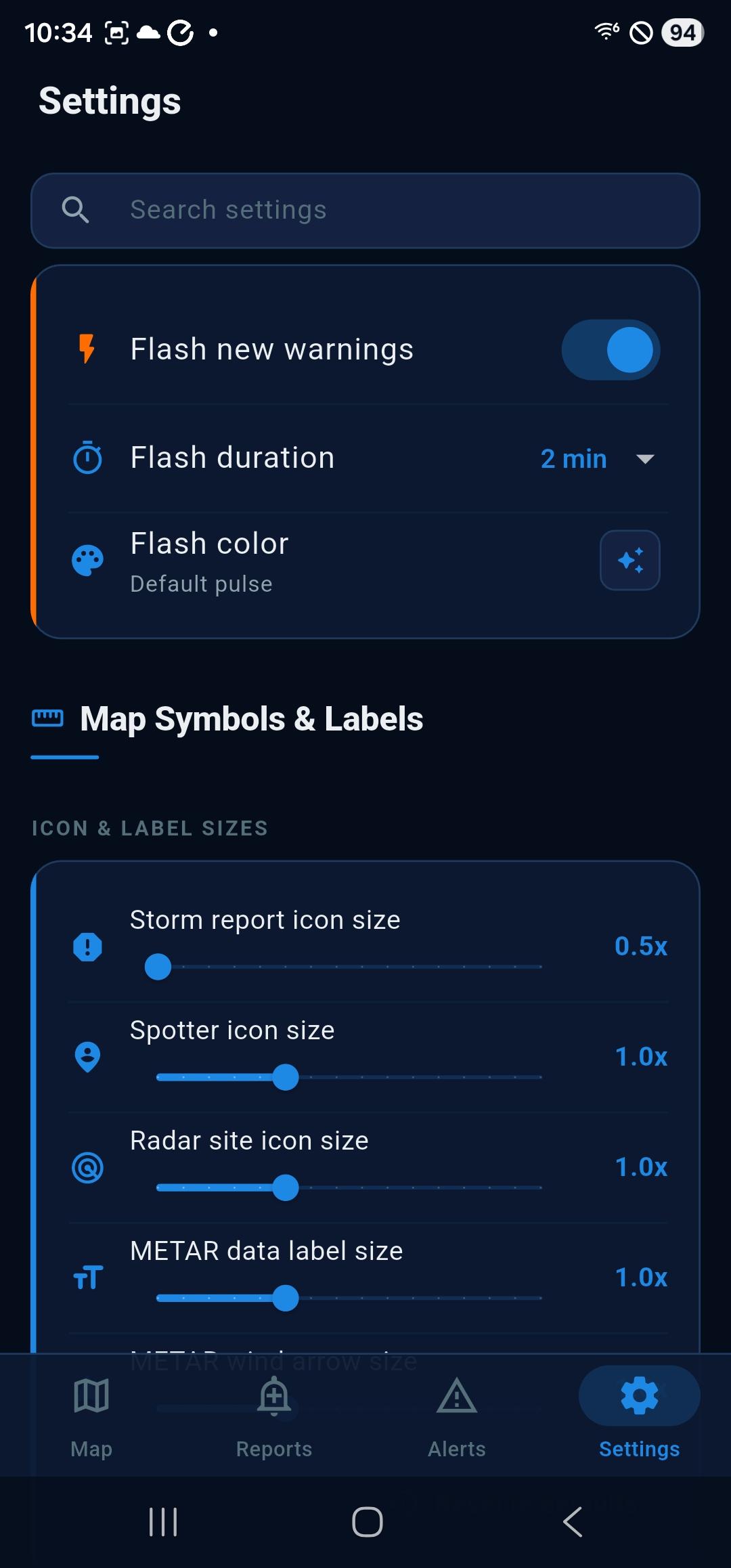
A tornado warning shouldn't feel like a hail-size advisory. Customize the audio and visual cues so the most dangerous tier is unmistakable.
- Bundled severe-alert tone, plus stock system sound options
- Optional Do Not Disturb override for the highest tiers
- Per-tier flash colors so a tornado warning never looks like a flood advisory
Tornado Emergency
Alarm-style takeover for life-threatening alerts
On Android 14+, opt in to a full-screen intent for Tornado Emergencies and PDS warnings. The notification wakes the screen and opens an alarm-style takeover even on a locked device, built specifically for the events most likely to kill someone.
It is opt-in, prompted once when you enable alerts, and only ever fires for the very top alert tiers.
Critical Alerts (iOS)
Breaks through Do Not Disturb
Apple approved the Critical Alerts entitlement for Spotter Tools Pro. Tornado Emergencies, Particularly Dangerous Situation warnings, and Flash Flood Emergencies can sound through Do Not Disturb, a Focus mode, and the silent switch.
Apple grants this only to apps with a genuine public-safety case, and it stays under your control: it is opt-in, and it is reserved for the handful of alert tiers that mean act now.
Windows
Close the window, keep the alerts
On Windows, hit the X with alerts on and Spotter Tools Pro hides to the system tray instead of quitting, so the watch worker keeps polling and warnings still reach you while the window is gone. Watching the sky does not mean giving up your desktop.
It asks you once what you want the close button to do, and Settings holds the answer if you change your mind.
Map Overlay
Warnings, watches, and detail sheets
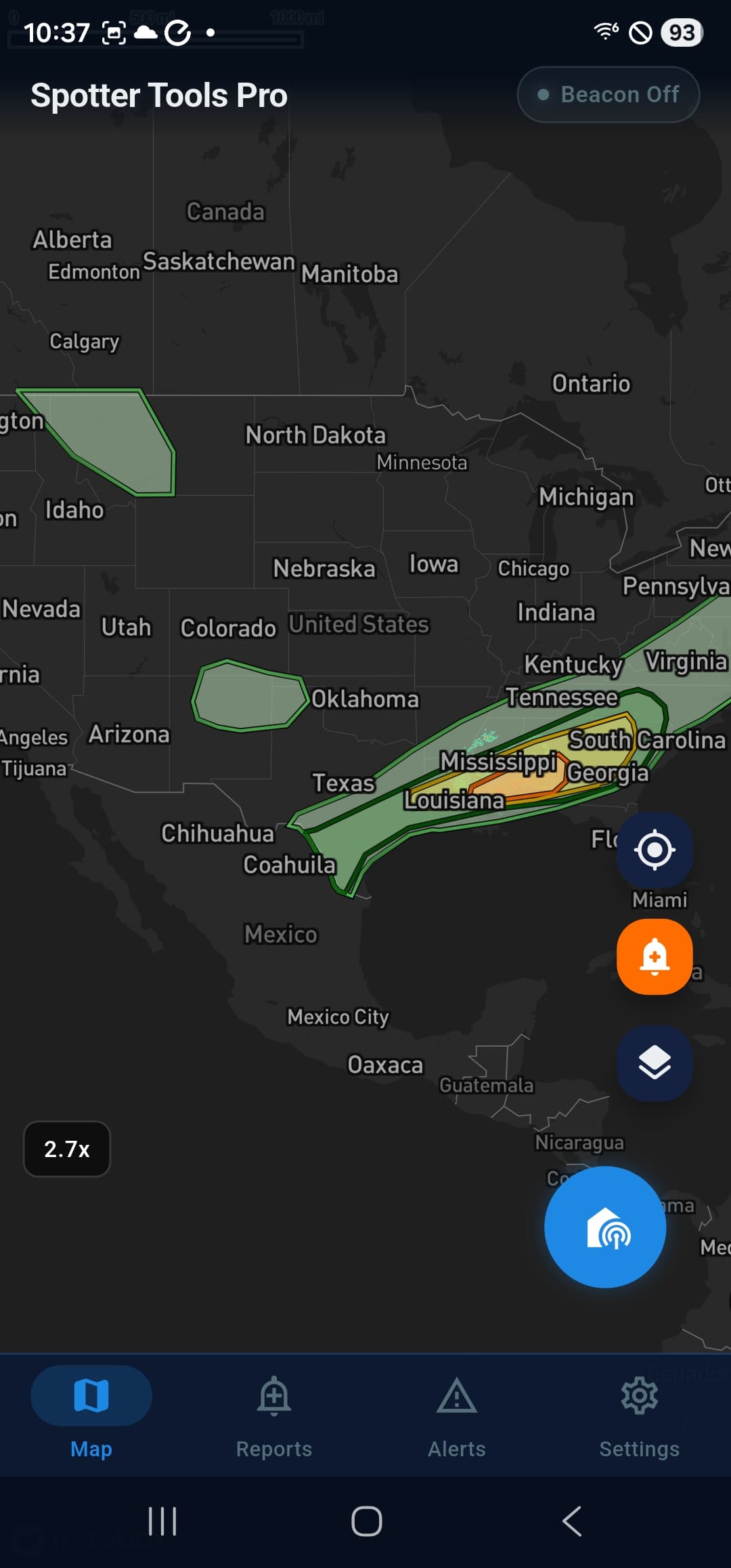
Every active NWS warning, watch, advisory, and statement is also drawn on the map as a polygon, with full detail on tap.
- Tornado, severe thunderstorm, flash flood, and fire warnings as polygons
- Tornado and severe thunderstorm watch boxes
- Tap any polygon for the full NWS product text and threat info
- An alert disambiguation sheet when polygons overlap so you can pick the one you meant
Beyond Severe Weather
Earthquakes, wildfires and air quality
Three more feeds you can watch, each with its own settings, its own notification sound, and all three off until you turn them on.
- Earthquakes alert on what you would actually feel rather than a fixed radius, so a large distant quake reaches you and a small nearby one does not spam you. Set your own magnitude floor, with an optional major-quakes-anywhere-in-the-US toggle
- Wildfires alert on newly discovered incidents near you, with a minimum-size picker and a prescribed-burn filter, plus rapid growth on a fire you are already watching
- Air quality alerts when the monitor nearest one of your zones crosses the EPA category you pick, with optional follow-ups as it keeps worsening
- Alert distances are shown in miles throughout, on every label and every slider
SPC Products
Mesoscale discussions and convective outlooks
Spotter Tools Pro pulls the SPC products you actually use during severe weather and renders them as toggleable map layers with full detail sheets.
- Mesoscale Discussions, short-fuse SPC forecast areas with full text
- Convective Outlooks from Day 1 through Day 8, Categorical, Tornado, Wind, and Hail
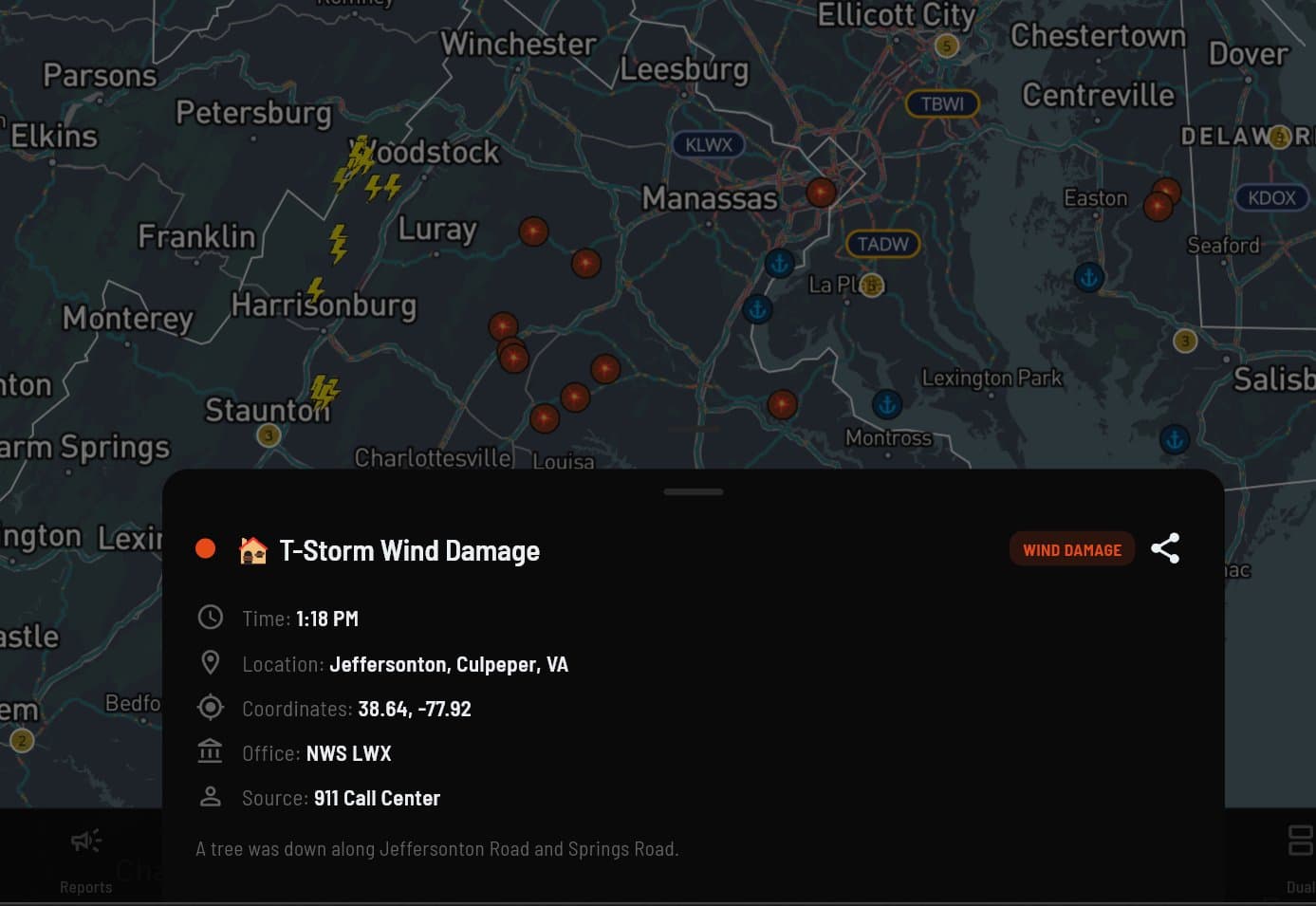
- Live NWS Local Storm Reports as map markers, every report type the offices publish
- Optional notification when a new MCD is posted that overlaps your zones
- Outlook notifications describe the risk over your own watch zones, not the highest risk anywhere in the country, so a moderate risk three states away no longer arrives quoting numbers you cannot find on your map
- Tapping an outlook alert turns the outlook layer on and flies you to your strongest zone
- A nationwide watch zone no longer means the whole country for outlooks, and there is a setting if you preferred the old behaviour. Warnings are unchanged
Local Storm Reports
Ground truth, minutes old
Storm reports come straight from the NWS offices that publish them, minutes fresh, covering every report type from tornadoes and hail to downed trees and flooding. Tap any report for the full story, filter to what you care about, and read the times in your own clock.
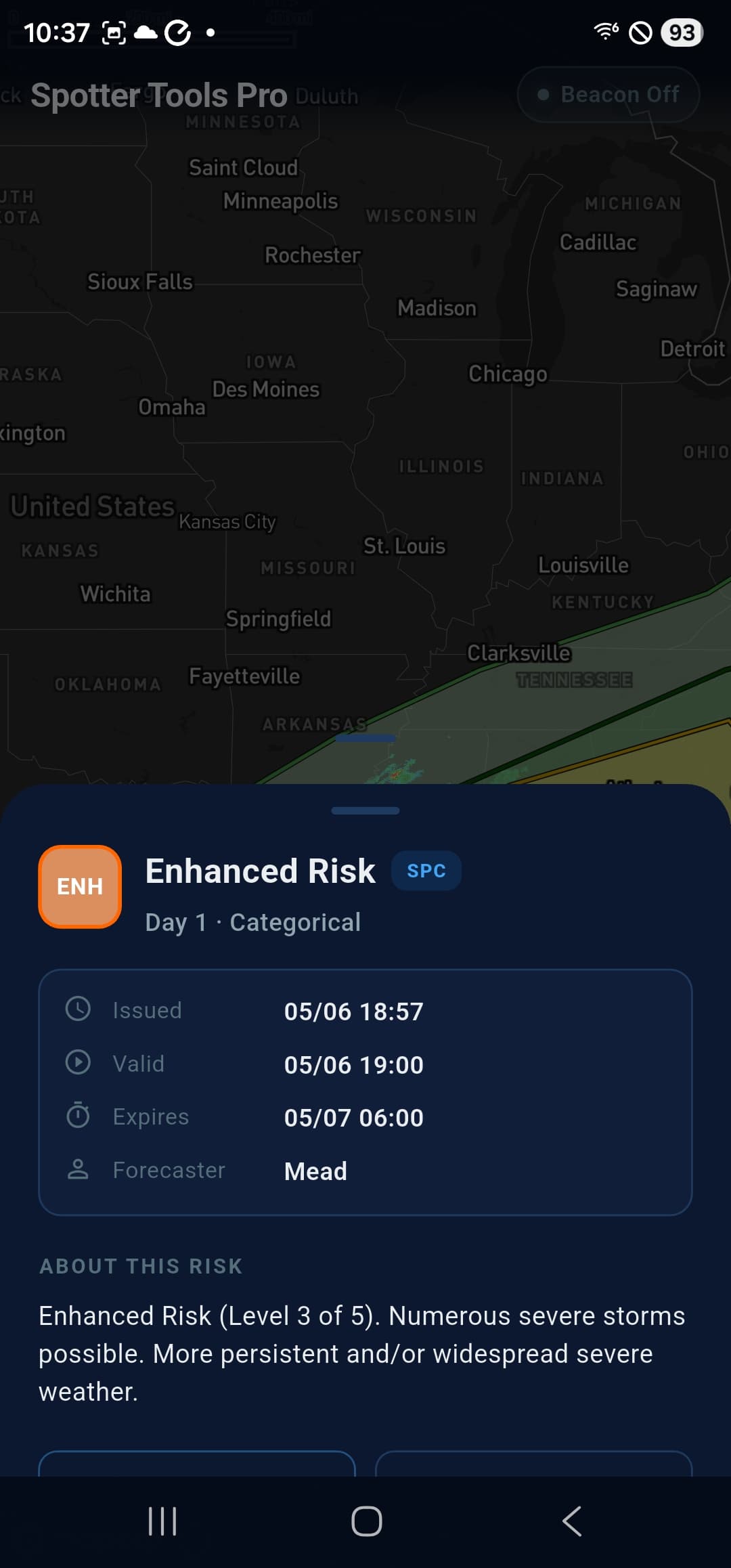
SPC Detail
Tap a risk area for the full SPC text
Outlook polygons are interactive. Tap any one to read the full SPC discussion, issue/valid/expires times, the forecaster on duty, and the risk-level legend without leaving the map.
Dashboard
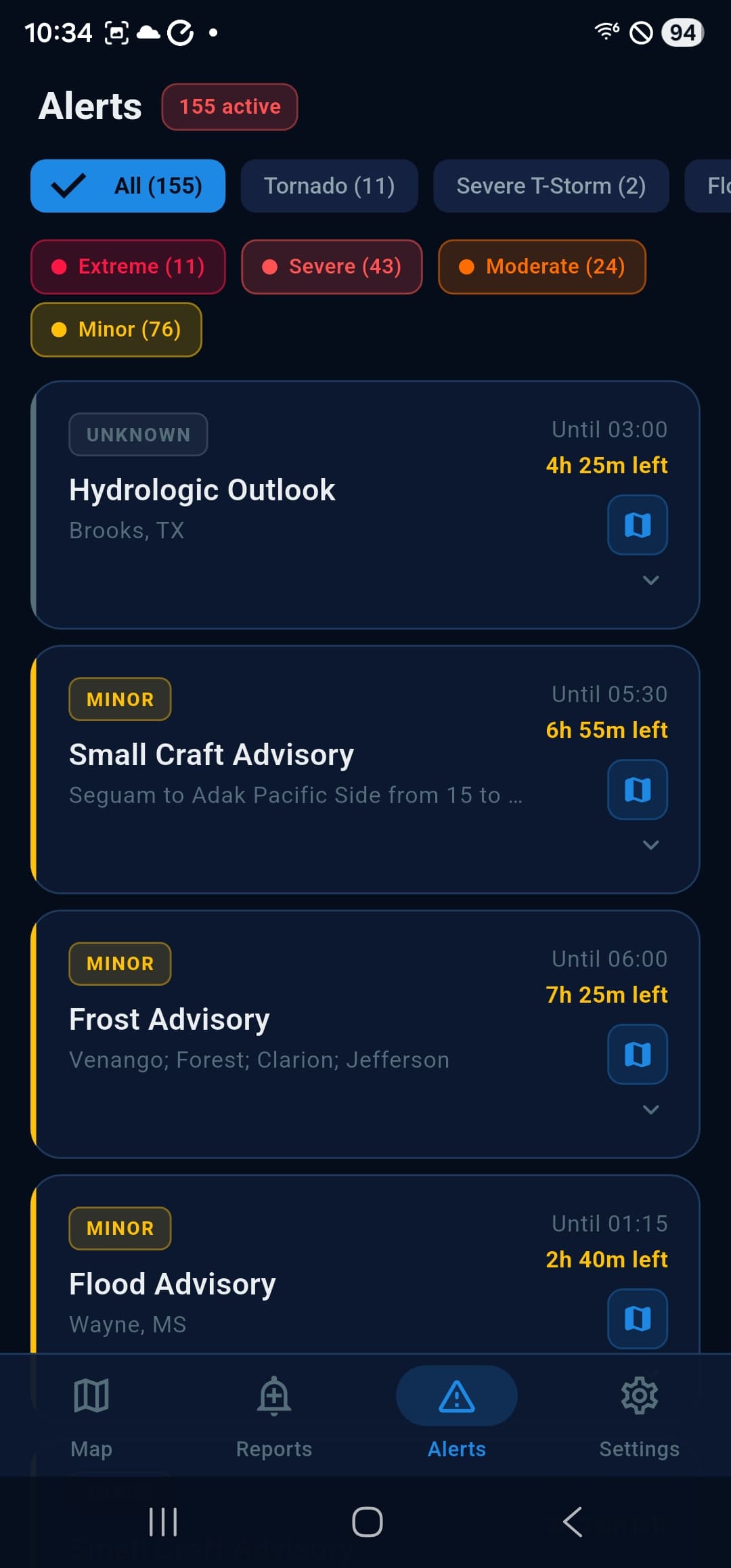
Browse every active alert
When you want the full picture instead of just what's overhead, the Alerts dashboard lists every active NWS alert nationwide with type / severity filters and one-tap detail.
- Severity chips, Extreme, Severe, Moderate, Minor
- Per-event-type chips, Tornado, Severe T-Storm, Flood, and more
- Time-remaining countdowns on every alert
- One-tap zoom-to-polygon for any alert in the list
Pair alerts with the radar
Smart push alerts get you to the map. Single-site Level 2 radar, full animation, and custom color tables get you what you need once you're there.